Project management tools
Free vs paid project management tools for freelancers
How to decide whether a free or paid project management tool is right for your freelance business.
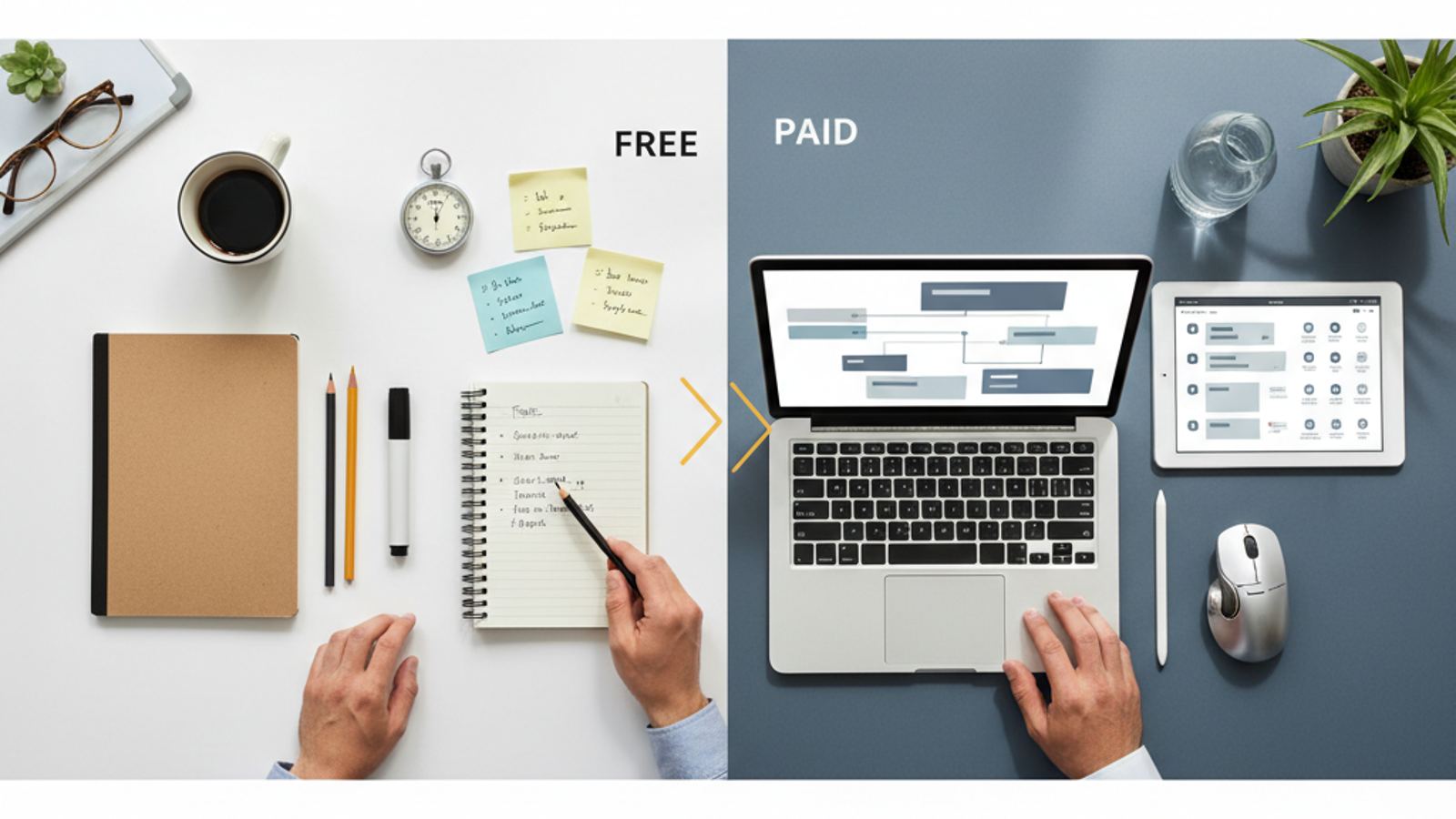
Choosing the right project management tool is a critical decision for any freelancer. The market offers a vast array of options, broadly categorized into free and paid solutions. While the allure of 'free' is strong, especially for those just starting out, understanding the nuanced differences and long-term implications of each choice is essential for sustainable growth.
This guide will explore the practical considerations when evaluating free versus paid project management tools. We will focus on how each type serves different stages of a freelance career, emphasizing value beyond monetary cost. The goal is to equip you with the knowledge to make an informed decision that supports your operational efficiency and client satisfaction.
01
Understanding the 'Free' Offering
Many project management tools offer free tiers, often referred to as 'freemium' models. These versions typically provide basic task management, limited project views (like a simple list or Kanban board), and restricted user access. They are excellent starting points for individual freelancers who manage a small number of clients and projects with straightforward requirements. For instance, you might use a free tool to track a handful of tasks for a single client, setting due dates and basic statuses.
However, free tiers often come with limitations on storage, integrations, advanced features like time tracking, client portals, or custom reporting. While sufficient for initial needs, these constraints can quickly become bottlenecks as your client base expands or project complexity increases. The primary advantage of a free tool lies in its zero upfront cost, allowing you to experiment and get accustomed to project management principles without financial commitment. This can be particularly useful when you are still developing your freelance business systems and defining your workflow.
For a solo freelancer, a free option might suffice for basic freelance task tracker needs. You can organize tasks into simple lists, assign statuses, and set deadlines. It allows for basic organization but typically lacks the robust features needed for managing multiple clients or complex workflows efficiently. Consider a free tool as a stepping stone rather than a permanent solution if you envision growth.
- Basic task management and scheduling features.
- Limited client or project capacity and storage.
- Often lacks advanced reporting, integrations, or client portals.
- Ideal for solo freelancers with simple project needs.
- Good for initial experimentation with project management concepts.
Before
Disorganized task lists across various apps, manual time tracking in spreadsheets, and late nights spent generating client reports.
After
Centralized project overview, automated time logging, and professional client dashboards, freeing up time for focused, billable work.
02
The Value Proposition of Paid Tools
Paid project management tools, while requiring an investment, offer a significantly broader and deeper set of functionalities designed to streamline complex operations. These often include advanced features such as robust time tracking, client-specific dashboards, automated invoicing, custom workflows, and integrated communication channels. For example, a paid tool might allow you to set up distinct client portals for each of your key clients, providing them with transparent updates on their projects without granting full access to your internal operations.
Beyond features, paid tools typically come with dedicated customer support, regular updates, and enhanced security measures. This can be crucial for freelancers handling sensitive client data or requiring consistent reliability. The investment in a paid tool shifts from a mere expense to a strategic business decision, aiming to improve efficiency, reduce administrative overhead, and enhance client satisfaction. When considering a paid option, think about how it contributes to your overall freelance productivity system.
A key aspect of paid solutions is their capacity to scale with your business. As you take on more clients or larger projects, a paid tool can provide the infrastructure to manage increased workload, automate routine tasks, and maintain clear oversight. This scalability is often absent in free versions, which quickly become unwieldy once you move beyond a handful of projects. A good paid tool should support your capacity planning efforts and help you avoid freelance burnout by keeping your workload visible and manageable.
- Comprehensive features: time tracking, invoicing, client portals.
- Scalability to handle multiple clients and complex projects.
- Enhanced security, reliability, and customer support.
- Automation capabilities for routine administrative tasks.
- Long-term solution for growing freelance businesses.
03
When Free Tools Suffice
A free project management tool is generally sufficient for freelancers who are just beginning their journey or those with a very limited number of projects and clients. If your primary need is simply to keep track of a few personal to-do lists or manage a single, straightforward client project without complex dependencies or team collaboration, a free tool can serve you well. It allows you to build foundational organizational habits without incurring any cost.
For instance, if you are a freelance writer working on one article at a time for a single client, a simple checklist within a free tool might be all you need to track research, drafting, and revisions. The limited features of a free plan are not a drawback if they meet 100% of your current needs. It’s an effective way to test different organizational approaches and understand what works best for your individual workflow before investing in a more robust solution. This approach is particularly effective if you are focusing on project management for solo freelancers and have minimal administrative overhead.
Free tools are also a good option if you are operating on a very tight budget and every dollar counts towards operational expenses. They provide a low-risk way to engage with project management concepts. However, it's crucial to be aware of their limitations and to continually reassess if your needs are outgrowing the free tier. The moment you find yourself wrestling with manual workarounds or missing critical features, it is a clear sign to consider an upgrade.
- Starting a freelance career with minimal projects.
- Managing personal tasks or a single, simple client project.
- Strict budget constraints requiring no monetary investment.
- Testing basic project management principles and workflows.
- When current workload does not require advanced features.
Step by step
- 1Assess your current project management needs and pain points.
- 2Start with a free tool or trial to establish basic workflows.
- 3Track the time spent on administrative tasks monthly.
- 4Identify features that would automate or significantly reduce these tasks.
- 5Evaluate paid options based on features, integration, and user reviews.
- 6Calculate the potential ROI by comparing time saved vs. subscription cost.
- 7Choose a tool that scales with your growth and supports long-term efficiency.
04
When to Invest in a Paid Solution
Investing in a paid project management tool becomes a strategic necessity as your freelance business matures and expands. This transition point often occurs when you start juggling multiple clients, managing projects with diverse requirements, or find yourself spending excessive time on administrative tasks that could be automated. For instance, if you are a freelance developer overseeing several projects, each with different stages, deadlines, and client communication needs, a free tool will quickly prove inadequate. A paid tool would allow you to streamline your project management for freelance developers, including code review, testing, and deployment stages.
Consider upgrading when you experience bottlenecks related to communication, lack of centralized information, or inefficient workflow. If you frequently miss deadlines, struggle with how to track deadlines as a freelancer, or spend too much time chasing client approvals and drafting invoices, a paid solution can offer the automation and oversight you need. The cost of a paid tool should be weighed against the time it saves and the problems it solves, rather than viewed as a pure expense.
Another indicator is when you require features that enhance client experience, such as dedicated client portals, custom reports, or integrated time tracking for accurate billing. These features not only professionalize your service but also save you significant time previously spent on manual reporting and invoicing. A paid tool that integrates well with your existing ecosystem can significantly boost your overall productivity and client satisfaction, ultimately supporting your ability to get paid on time as a freelancer.
- Managing multiple clients and complex projects concurrently.
- Wasting time on manual administrative tasks (invoicing, reporting).
- Needing advanced features like time tracking, client portals, or custom workflows.
- Prioritizing enhanced client communication and transparency.
- When current tool hinders scalability and business growth.
Project Management Tool Evaluation Checklist
Hi [Client Name, if applicable, or Team],

I'm evaluating new project management tools to enhance our efficiency and collaboration. To ensure I select the best fit, I've created a checklist of key criteria. Please review and provide your input on which features are most important to you.

**Tool A (Free/Basic Plan) vs. Tool B (Paid Plan)**

**Feature Comparison:**

*   **Task Management & Delegation:**
    *   Free: Basic task lists, due dates, simple assignee
    *   Paid: Subtasks, dependencies, recurring tasks, advanced filters

*   **Project Views:**
    *   Free: List, simple board
    *   Paid: Gantt charts, calendar, workload view, custom dashboards

*   **Time Tracking:**
    *   Free: Manual entry only, if available
    *   Paid: Integrated, automated, billable/non-billable tracking

*   **Client Collaboration:**
    *   Free: Basic sharing of specific tasks/projects
    *   Paid: Dedicated client portals, comment threads, permission levels

*   **Reporting & Analytics:**
    *   Free: Limited to no reporting
    *   Paid: Custom reports, progress tracking, performance insights

*   **Integrations:**
    *   Free: Few, often limited to major apps
    *   Paid: Extensive integrations (invoicing, communication, cloud storage)

*   **Automation:**
    *   Free: Minimal or none
    *   Paid: Workflow automation (e.g., status changes, notifications)

*   **Storage & Capacity:**
    *   Free: Limited storage, number of projects/users
    *   Paid: Ample storage, unlimited projects/users (tiered)

*   **Support & Reliability:**
    *   Free: Community forum, basic FAQs
    *   Paid: Dedicated customer support, higher uptime guarantee

**Questions for You:**
1.  Which 3 features above are most critical for your work with me?
2.  Are there any features not listed that you deem essential?
3.  How important is having a dedicated client portal for project updates?

Your feedback is invaluable in making this decision.

Best regards,
[Your Name]
05
Evaluating ROI: Time Saved vs. Cost
The true return on investment (ROI) for a project management tool, especially a paid one, extends beyond its monthly subscription fee. For freelancers, the primary metrics for evaluation should be the amount of time saved, the reduction in stress, and the prevention of missed deadlines or scope creep. A tool that costs $30 a month but saves you 10 hours of administrative work and prevents one instance of how to handle scope creep is likely a sound investment, particularly if your hourly rate is significant. Consider the value of what you gain: more billable hours, improved client relationships, and reduced mental overhead.
To calculate this, estimate how much time you currently spend on tasks that a paid tool could automate or simplify. For example, if generating client reports manually takes you 2 hours a week, and a paid tool reduces that to 15 minutes, you save 1.75 hours weekly. Multiply this by your hourly rate to understand the monetary value of that time. If this saved time allows you to take on an additional small project or focus on high-value client work, the ROI quickly becomes apparent. For more detail on calculating this, refer to articles on how to estimate freelance projects.
Additionally, consider the indirect benefits. A well-managed project, supported by a robust tool, leads to happier clients and potentially more referrals. Avoiding a single missed deadline or miscommunication can prevent significant client dissatisfaction and reputational damage. Therefore, the investment in a paid tool should be viewed as an investment in the professionalism, efficiency, and long-term viability of your freelance business. It contributes to robust client management for freelancers.
- Quantify time saved on administrative tasks (e.g., invoicing, reporting).
- Calculate the monetary value of saved time based on your hourly rate.
- Consider the cost of missed deadlines or client dissatisfaction.
- Factor in indirect benefits: improved client relationships, referrals.
- View it as an investment in business professionalism and efficiency.
06
Making Your Decision: A Phased Approach
The optimal strategy for choosing a project management tool is often a phased approach. Start with a free version or a basic, low-cost paid tool to establish foundational habits and workflows. This allows you to understand your specific needs and preferences without overcommitting. For instance, you might begin with a simple freelance task tracker and then look for tools that expand on its core functionality as your business grows. Pay attention to how well the tool supports your daily routines, such as daily planning for freelancers and weekly review for freelancers.
As your client base grows and projects become more complex, evaluate if your current tool is creating more friction than efficiency. Look for signs that you need more advanced features, such as difficulty managing multiple client onboarding checklist processes or struggling to communicate effectively across several client projects. At this point, explore paid options that offer trials, allowing you to test their advanced features in a real-world context before making a financial commitment. Many tools that are considered the best project management software for freelancers offer these trials.
Ultimately, the choice between free and paid is dynamic. Your ideal tool will evolve with your freelance career. Regularly review your project management needs against the capabilities of your current tool. The right moment to transition to a paid solution is when its benefits – in terms of time saved, enhanced capabilities, and professional impact – clearly outweigh its cost. Focus on finding a tool that makes your work easier and more organized, rather than one that simply fits a budget.
- Start with a free or basic tool to build habits and understand needs.
- Monitor your evolving needs as your client base and project complexity grow.
- Utilize free trials of paid tools to test advanced features in practice.
- Periodically assess if your current tool is hindering efficiency.
- Prioritize tools that save time and enhance professionalism over strict cost.
Action checklist
- Identify your current project management pain points.
- List essential features you cannot operate without.
- List 'nice-to-have' features for future growth.
- Research free tools that offer your essential features.
- Trial at least two paid tools to compare advanced capabilities.
- Calculate the potential time savings and value of each paid option.
- Confirm the tool aligns with your long-term business goals.
Frequently asked questions
- When should a freelancer switch from a free to a paid project management tool?
- A freelancer should consider switching to a paid tool when their current free solution begins to hinder efficiency, they are managing multiple clients or complex projects, or they find themselves spending too much time on administrative tasks that a paid tool could automate. The switch is justified when the tool saves more time than it costs.
- Are free project management tools truly 'free' in the long run?
- While free tools have no monetary cost, they can incur 'hidden' costs in the form of increased manual work, lost productivity, missed opportunities, and potential client dissatisfaction due to limited features or lack of support. If a free tool slows you down, it's costing you time and potential income.
- What are the key features a freelancer should look for in a paid project management tool?
- Key features include robust time tracking, client portals for transparent communication, invoicing capabilities, custom workflow automation, diverse project views (e.g., Kanban, Gantt, list), integration with other essential business tools, and responsive customer support. These collectively enhance efficiency and professionalism.
- Can I start with a free tool and migrate to a paid one later?
- Yes, this is often the recommended approach. Starting with a free tool allows you to establish basic project management habits and understand your specific needs. Most reputable paid tools offer seamless data migration options, making the transition relatively smooth when you're ready to upgrade.
Put it into practice
Keep every client and task in one clear view
kliendo is a client-first workspace for freelancers, with AI that turns notes into tasks. Prefer a walkthrough first? Browse the step-by-step guides.
Create account